Portable monitor · 2 additional screens

Screenmate Expand 15.6″

Add two extra screens to your laptop for your schedule, documents, and meetings. The Expand folds up compactly and works without any additional software on a laptop with the appropriate ports.

4,8/5267 reviews

Free shipping · 50-day return policy

  • Three desktops within reach. Use your laptop with two additional screens at the same time.
  • Vivid Full HD picture. IPS, 300 cd/m², and HDR10 support.
  • Connect without a driver. Via two USB-C video ports or a compatible HDMI connection.
  • Compact after work. The two screens fold together for transport.

How do I connect my Screenmate®?

Select the connection method that your laptop supports from the options below.

  • 2 × USB-C

    2 cables

    Connect each monitor using its own USB-C cable. Both ports on your laptop must support video output and provide sufficient power. Your laptop must be able to drive two external monitors at the same time.

  • USB-C + HDMI + USB-A

    3 cables

    Use USB-C with video for one monitor. Connect the other via HDMI for video and USB-A for power. Your laptop must support both video paths at the same time.

  • 2 × HDMI + 2 × USB-A

    4 cables

    For each monitor, use HDMI for video and USB-A for power. The two HDMI outputs must be able to drive two separate external monitors; a simple splitter is not sufficient.

The necessary connection cables and user manual are included.

Are you unsure about your connection?

Having two USB-C ports doesn't automatically mean you can use two external displays. Check your laptop's video support and the limit on the number of displays that can be used simultaneously. For MacBooks, this varies depending on the chip, model, and whether the laptop is open or closed. If you're unsure, please send us your exact laptop model.

Ask us to take a look
In stockCheck the current delivery time in your shopping cart
  • 50 dayscooling-off period
  • 2 yearswarranty
  • Customer ServiceAvailable 7 days a week
Customer Reviews4.8/5Uit 267 Expand 15,6"-reviewsView all reviewsSelected, genuine customer reviews
Here's how it works in practice

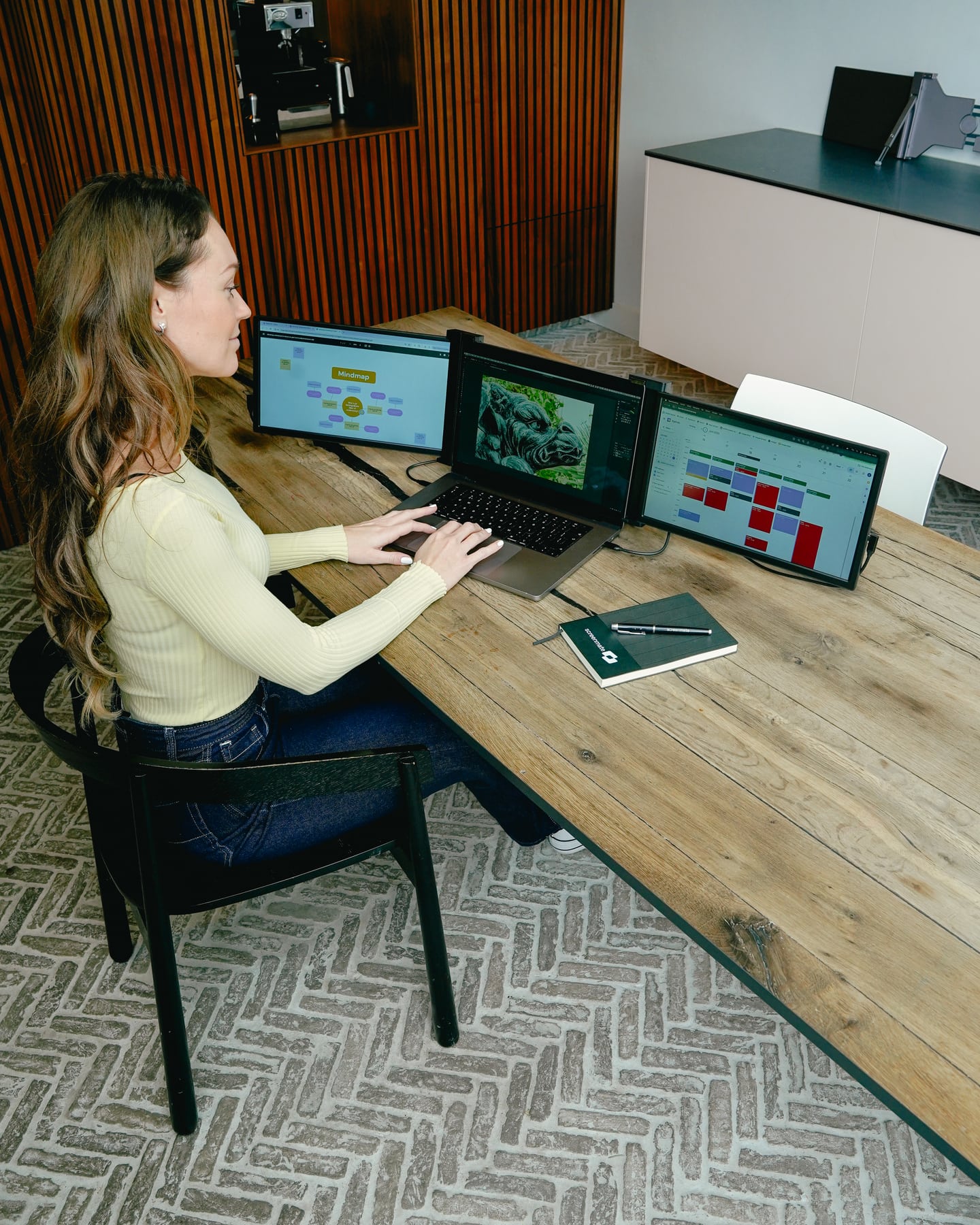
Give your programs a permanent spot on Expand. Keep your work and your resources side by side so you don't have to switch between windows as often and can find what you need more quickly.

Woman works with two extra black Expand screens next to her laptop

Designed for flexible work

More workspace. Even in a different location.

Unfold the Expand around your laptop and position the stand securely. The foldable design packs down compactly when you're done working. Choose the model and color that best suit your workspace.

  • Two 15.6-inch Full HD screens
  • IPS panel with HDR10 support
  • When folded, 2.5 cm thick
  • No additional driver required

Designed for Your Workday

Add two screens.Everything side by side.

Two 15.6-inch Full HD screens give you space for documents, wide tables, and your meetings. The IPS panels are bright and clear. When you are finished, fold the Expand compactly for the next workspace.

2 extra screens 15.6″ per screen 1750 g weight
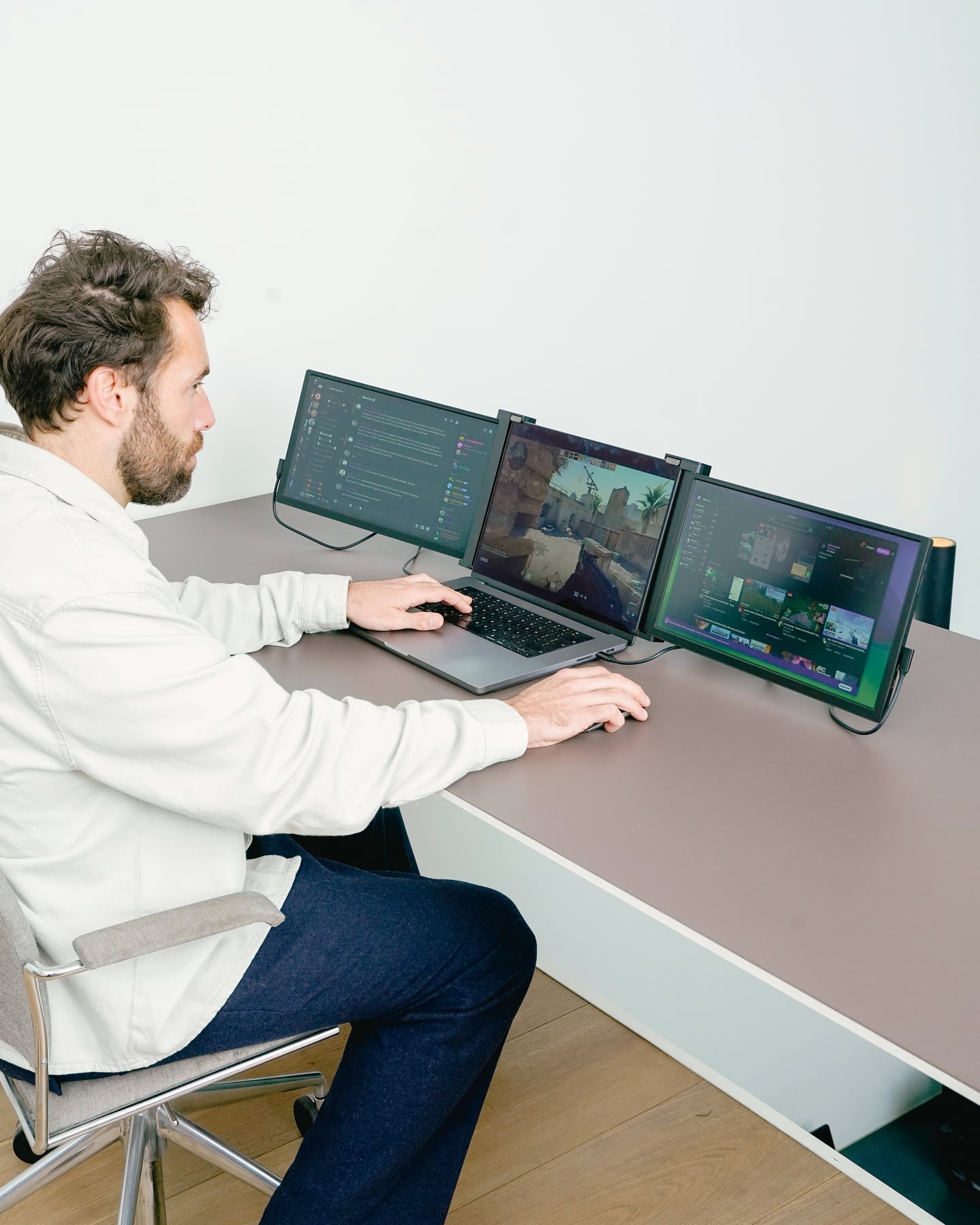
Man works with two black Expand screens while gaming
3D Product View

The Expand in Detail

Everything you want to know, clearly laid out.

The most important features for your workspace and connectivity.
Screen
2 × 15.6″ IPS LCD · 16:9
Resolution
1920 × 1080 Full HD per screen
Color & Brightness
72% NTSC · 300 cd/m²
Refresh & Response
60 Hz · 25 ms
Connect
2 × USB-C or USB-C + HDMI + USB-A or 2 × HDMI + 2 × USB-A
Collapsed
40.6 × 23.7 × 2.5 cm
Weight
1750 grams
Software
No additional driver required
01

Connect

Select the connection method supported by your laptop. Use the included cables for video and power. Make sure your laptop can handle two external displays at the same time.

02

Choose Your Formation

Set up the stand so it's stable, and choose a comfortable viewing angle. Position your laptop so that all the screens remain within reach.

03

Continuing to Work

In the display settings, select "Extend." Display your source, reference material, or schedule on an additional screen and continue working on your laptop.

Woman carrying the protective case of the Screenmate Expand

Screenmate Expand 15.6″

A better overview for your next workday.

Choose your version and give your work room to breathe.4.8/5 · reviews
for €319 in stock · free shipping

Customer Reviews of the Screenmate Expand

Other users' experiences.

Customer Reviews

Overall rating: 4.8 / 5 from 267 reviews.

De hoes houdt het scherm krasvrij in mijn tas. Kabel erin en het beeld staat er hoor.

Expand 15.6"

Dik tevreden. Mooi design. Goede beeldkwaliteit. Dik tevreden. Lekkere klantenservice, snel geholpen zeker.

Expand 15.6"

Tot nu toe ik ben verkocht. Verrassend lichtgewicht. Ziet er gewoon fraai uit. Vooral voor videobellen gebruik ik m.

Expand 15.6"

Verrassend lichtgewicht. Een scherm dat er hoogwaardig uitziet. Praktische beschermhoes erbij. Beeldkwaliteit zit dik in orde echt.

Expand 15.6"

Inmiddels handige beschermhoes erbij. Fijne beeldkwaliteit. Weegt bijna niks, prettig voor onderweg. Echt blij mee.

Expand 15.6"

Persoonlijk mooi strak design. Fijn dat de hoes standaard meekomt. Voorlopig erg blij.

Expand 15.6"

Tot nu toe minimalistisch en netjes, oogt duur. Bedankt Screenmate. Fijne, duidelijke handleiding.

Expand 15.6"

Wat een plaatje. De beeldkwaliteit is gewoon prima. Lekker fel scherm, ook bij zonlicht.

Expand 15.6"

Het ontwerp is echt netjes. Niks dan lof.

Expand 15.6"

Ik ben verkocht. Een zeker mooi scherm om te zien. De beeldkwaliteit is echt goed. Kwaliteit zit dik in orde trouwens.

Expand 15.6"

Sinds kort een mooi en degelijk scherm. Mooi design. Kinderlijk eenvoudig om aan te sluiten trouwens.

Expand 15.6"

Fraai helder beeld, ook bij daglicht. Mooi strak design. Plug and play, zo klaar voor gebruik echt.

Expand 15.6"

Wat een plaatje. Fraai strak design. Overtreft mijn verwachtingen ruim. De beschermhoes erbij is erg praktisch.

Expand 15.6"

Heel tevreden! Goede kwaliteit, voelt degelijk. Mooi strak design.

Expand 15.6"

Robuust en fraai afgewerkt scherm. Het ontwerp is zeker netjes zeker.

Expand 15.6"

Handy sleeve—saves me from having to buy one separately. Sturdy and beautifully finished screen. No power outlet needed—just my laptop, that’s for sure.

Expand 15.6"

Honestly, it does exactly what I hoped it would. Surprisingly lightweight. Nice and bright, even next to the window. I use it mainly for working from home. I'm very satisfied with it so far.

Expand 15.6"

I'm glad it came with a protective case. The manual was clear, and it really was up and running right away.

Expand 15.6"

So far, the picture quality is great for such a small screen. I can really recommend it to everyone.

Expand 15.6"

More than satisfied. I was pleasantly surprised by the picture quality. HDR really adds depth to the image.

Expand 15.6"

It's a really sharp and bright screen.

Expand 15.6"

Very satisfied! Beautiful design. Great color reproduction on this screen. Very easy to use.

Expand 15.6"

It looks really nice. The screen is bright and clear, even in sunlight.

Expand 15.6"

The screen feels high-end. It's beautifully designed. It's well-made; there's nothing cheap about it.

Expand 15.6"

I'm sold. Setting it up was a breeze. No drivers needed—just plug it in. Customer service was quick to respond and very friendly, too.

Expand 15.6"

To me, it's a sleek and modern design.

Expand 15.6"

Just a satisfied user. Connected right away, no hassle. Nice, sleek finish. Very satisfied.

Expand 15.6"

Great picture quality, beautiful colors. Screenmate's support is definitely great. I'm really happy with it.

Expand 15.6"

Setting it up was pretty easy. It deserves five stars.

Expand 15.6"

I'm happy with this purchase. Setting it up was very easy. The included protective case is quite practical. HDR really adds depth to the picture.

Expand 15.6"

So far, its light weight makes traveling easy. The screen is definitely nice and bright.

Expand 15.6"

Personally, it's a really beautiful screen to look at. Nice, sleek design. Nothing but praise.

Expand 15.6"

The image looks vivid and natural.

Expand 15.6"

Great screen, solidly built. It's incredibly easy to set up. The slim design makes it easy to carry around. I always bring it with me to my home office.

Expand 15.6"

I'm really happy with this. Good brightness, easy on the eyes. Easy to connect. I use it mostly on the train. Thanks, Screenmate.

Expand 15.6"

Honestly, it's nice and light to carry around. Nice, sleek design, by the way.

Expand 15.6"

It has a nice, sleek finish. The brightness is perfect for outdoor use. I always bring it with me to hotel rooms. With the clear instructions, you’ll be up and running in no time.

Expand 15.6"

I highly recommend it. Beautifully designed. Comes with a practical protective case. Great customer support—I got a quick response. I always take it with me to the couch.

Expand 15.6"

Thanks to its slim design, I can easily take it with me now. It slips right into my bag because it's so lightweight. I mainly use it when visiting clients on-site.

Expand 15.6"

With HDR, the colors are incredible. The colors look great. It's nice and light to carry around. Great quality, well-made. I'm completely satisfied.

Expand 15.6"

Questions Before Purchasing

Be sure to order the right monitor.

Not sure about your connection, laptop model, or preferred setup? Screenmate's Dutch support team will work with you to find the right solution before you place your order.

Discuss your situation with Screenmate →
What ports does my laptop need?+

2 × USB-C, or USB-C + HDMI + USB-A, or 2 × HDMI + 2 × USB-A. Having two USB-C ports doesn't automatically mean you can use two external displays. Check your laptop’s video support and the limit on the number of displays it can support simultaneously. For MacBooks, this varies depending on the chip, model, and whether the laptop is being used in an open or closed configuration. If you’re unsure, please send us your exact laptop model.

Do I need a driver?+

No additional driver is required. Your laptop must support the required number of external displays and the selected connection method.

Can I use it with a MacBook?+

Only if your specific MacBook supports two external displays via the selected ports. The limit varies by chip and model; for some models, it also differs between open and closed use. A USB-C hub does not automatically add support for a second external display. Please send us your model information for advice.

What's in the box?+

You will receive the Screenmate Expand 15.6″, the necessary connection cables, and the manual. Use the original cables and follow the connection instructions.

Can I return the monitor?+

You have 50 days to decide whether the Screenmate Expand is a good fit for your workspace. You can find the current terms and conditions in Screenmate's return policy.

Screenmate Expand for €319 · in stock